📖 WolfRAT wiki
Everything WolfRAT does, tab by tab, in plain English. WolfRAT is the free admin tool for Joint Operations servers - players, maps, votes, moderators, live weather and more, from one window.
Start here
🚀 Getting started
Download, connect to your server, save it. Five minutes.
❗ Chat commands
Everything players and moderators can type in game. One page, ready to share.
🛠️ Troubleshooting
Cannot connect? Button did nothing? Start here.
The tabs
🖥️ Server
Connect, save your servers, auto-reconnect.
⌨️ Console
The live log, and where to look when something did not work.
👥 Players
Warn, kick, ban, swap - and balance the teams in one click.
🗺️ Missions
Build your map rotation, save it as a preset, change map now.
⚙️ Settings
Friendly fire, kill limits, game time, passwords - changed live.
🔫 Weapons
Which weapons are allowed, armory-only or banned.
💬 Chat Bot
Live chat, !switch for players, bad-word filter, anti-spam.
📢 Messages
Rotating announcements, welcomes, the private welcome, !kd stats.
🔥 Sprees
Killing spree and first blood announcements.
🛡️ Mods
Trusted players run the server from in-game chat. Moderator entrances.
🌐 Map Voting
Players pick the next map. Plus !vote and !skip.
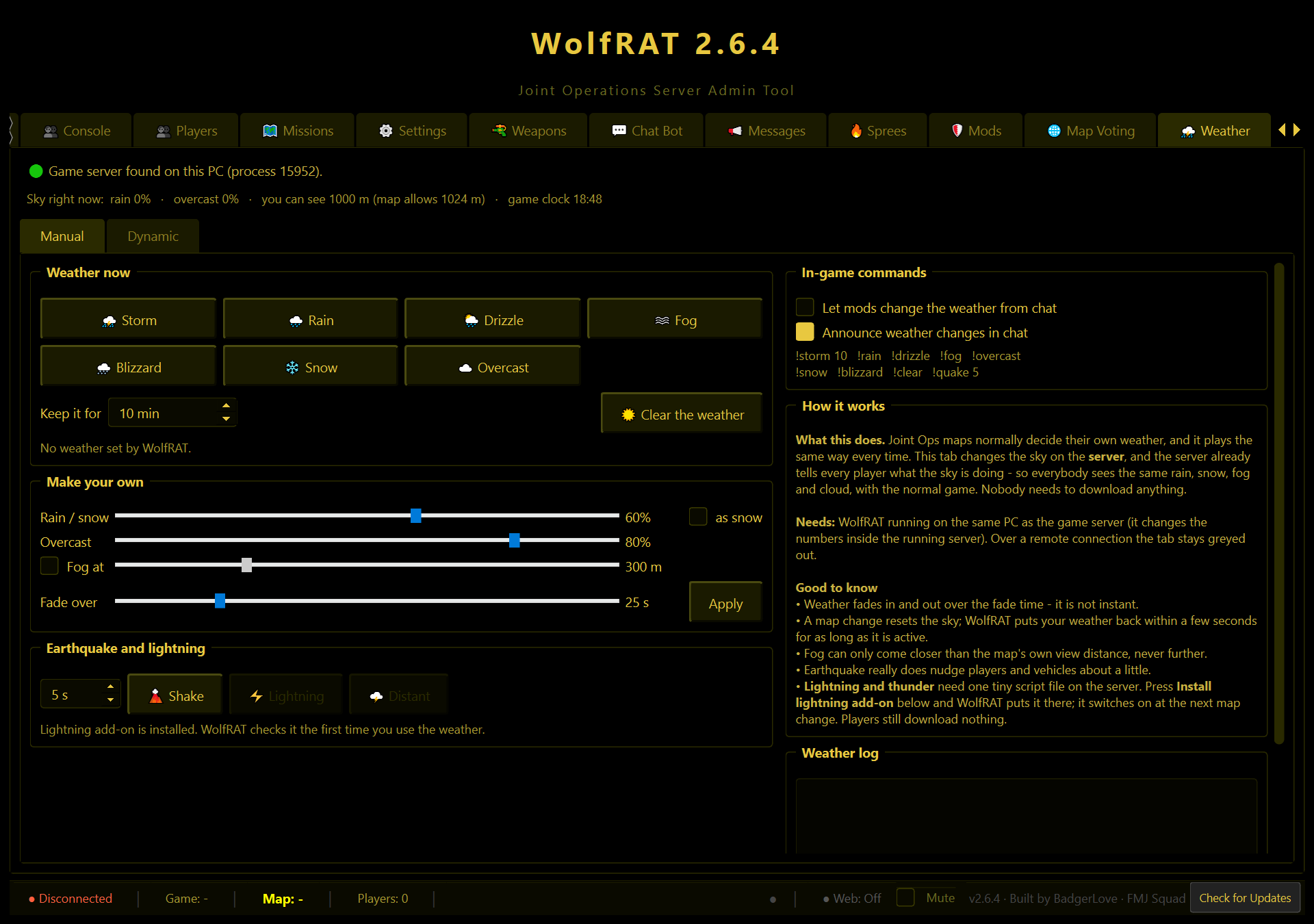
🌦️ Weather
Live rain, storms, snow, fog, lightning - and weather that changes on its own.
📱 Web Admin
Look after the server from your phone.
Three things worth knowing before you dive in
- Most of WolfRAT's cleverness lives in WolfRAT, not in the game. Votes, chat commands, spree announcements, the bad-word filter and recurring messages all work only while WolfRAT is running and connected. Most admins simply leave it running on the server PC.
- Two features need WolfRAT on the same PC as the game server: the weather and the private welcome. Everything else works from anywhere.
- Game chat is limited to 62 characters a line. That is the game's rule, and it is why WolfRAT keeps asking you for short messages.