WolfRAT wiki › Server
🖥️ Server tab
Where you connect to your server, save its details, and see at a glance whether everything is alive.
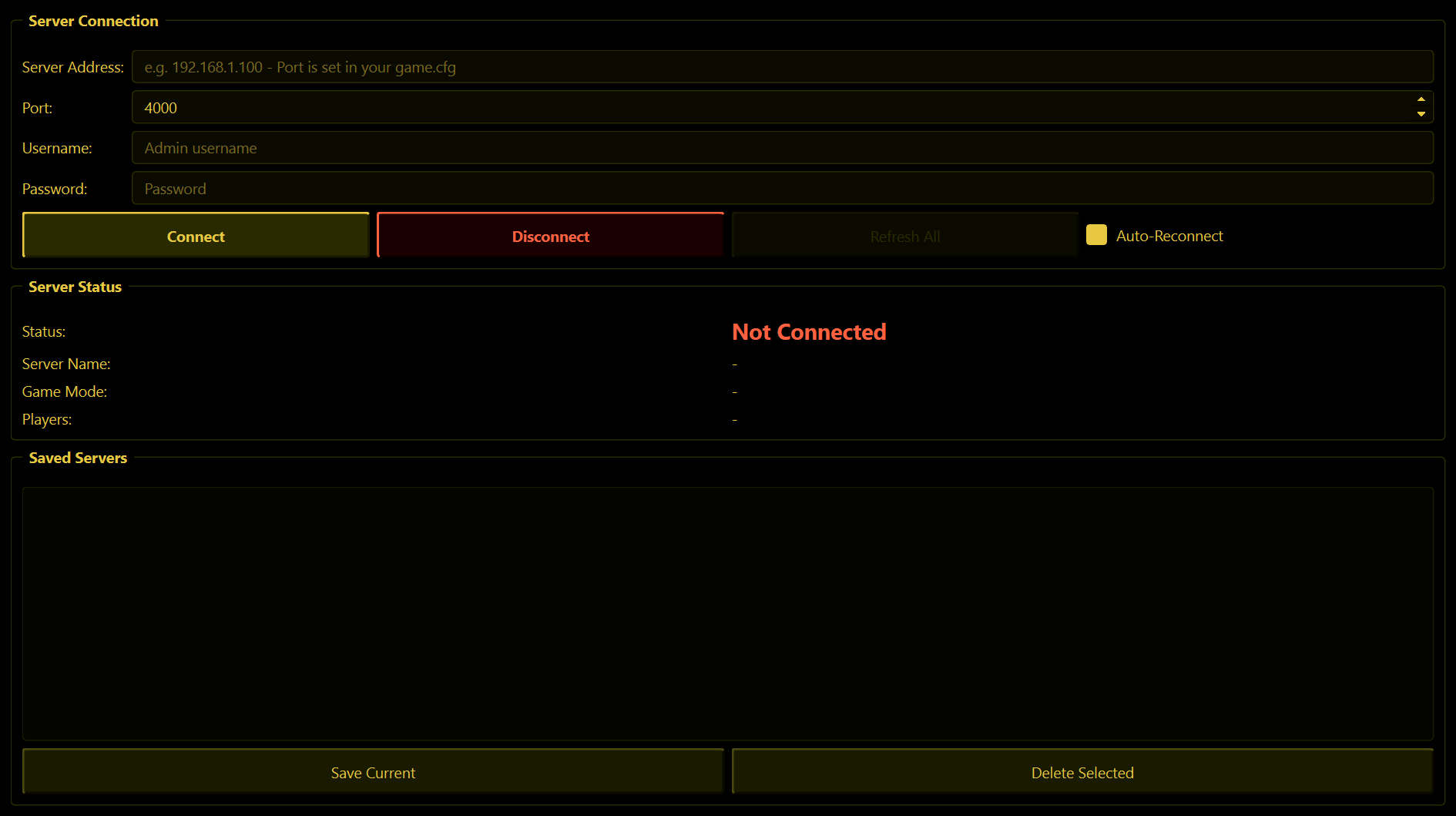
Server Connection
| Box | What to put in it |
|---|---|
| Server Address | Your server's IP address. 127.0.0.1 if WolfRAT is on the same PC as the server. |
| Port | The remote_admin_port number from your server's game.cfg. WolfRAT starts on 4000. |
| Username | Your admin name from the server's admin.cfg. |
| Password | The password next to that name in admin.cfg. |
Not sure where those are? Getting started shows you.
- Connect - connects. WolfRAT remembers the last server you connected to and connects to it by itself the next time you start it.
- Disconnect - disconnects and stays disconnected. WolfRAT will not try to reconnect after you press this.
- Refresh All - asks the server for everything again in one go: players, maps, settings, chat and weapons.
- Auto-Reconnect (ticked by default) - if the connection drops, WolfRAT tries again every 30 seconds until it is back.
Map changes drop the connection for a moment - that is normal. Joint Ops reloads the whole server when the map changes, which closes WolfRAT's connection. With Auto-Reconnect on, WolfRAT is back within half a minute or so and carries on where it left off.
The password is shown as you type it. Keep that in mind if you stream or share your screen.
Server Status
Four lines that fill in once you are connected: Status, Server Name, Game Mode and Players.
Saved Servers
- Save Current - stores the four boxes above as a line in the list.
- Double-click a saved server to put its details back in the boxes. Then press Connect.
- Delete Selected - removes the highlighted line. There is no "are you sure".
Press Save Current only once per server - pressing it again adds a second identical line.
The bar along the bottom of the window
This is visible on every tab:
| What you see | What it means |
|---|---|
| ● Connected / ● Disconnected | Green or red. While WolfRAT is retrying it says Reconnecting (Attempt 3)... |
| Game / Map / Players | The game mode, the current map and how many players are on. |
| A small dot | Blinks green each time fresh information arrives from the server - a heartbeat. WolfRAT checks in every 5 seconds. |
| ● Web: On / Off | Whether the phone admin page is running. |
| Mute | Silences WolfRAT's click, connect and disconnect sounds. |
| Check for Updates | Looks for a newer WolfRAT and installs it for you. WolfRAT also has a quiet look by itself a couple of seconds after it starts. |