🛡️ Mods tab
Give trusted players the power to look after the server from inside the game. No WolfRAT, no passwords - they just type commands in chat.
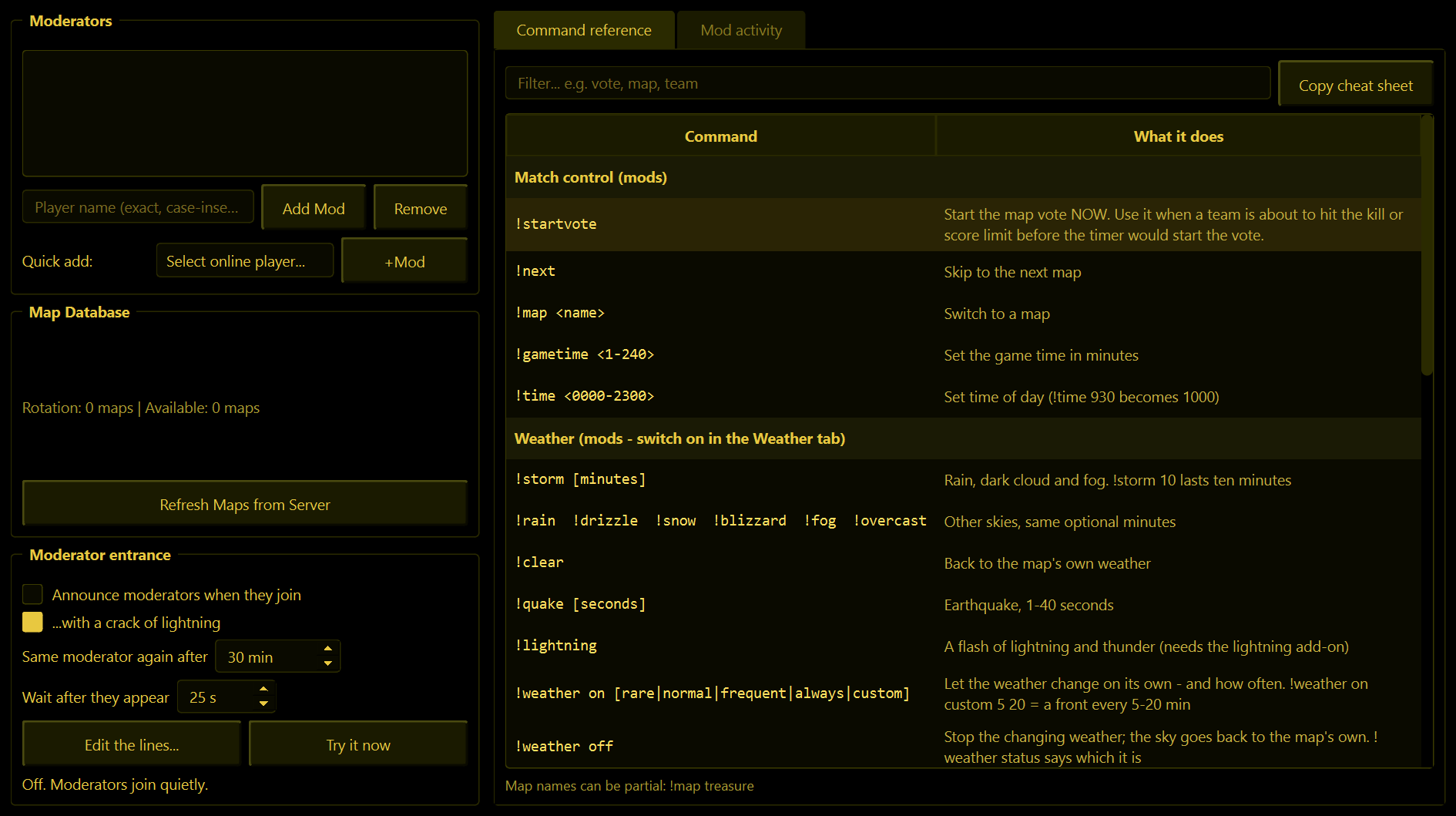
Moderators
Anyone on this list can use the moderator chat commands.
- Type a player's name and press Add Mod - or, easier, pick them from Quick add while they are on the server and press +Mod.
- Remove takes the selected name off the list.
Mods are recognised by their player name, and nothing else. Capitals do not matter, but the rest has to match exactly. That also means anybody who joins using a moderator's exact name gets their powers - so only make mods of people with names nobody is likely to copy, and take a name off the list if it is being abused.
What a moderator can type
The full list, with everything explained, is on the Chat commands page. In short, mods can warn, kick, ban, kill and swap players; change, add and remove maps; balance or mix the teams; change the game time and time of day; start the map vote early; and - if you allow it on the Weather tab - control the weather.
If someone who is not a mod types a mod command, nothing happens at all. They are not told off; it is simply ignored.
The Command reference
The right-hand side of the tab lists every command. Type in Filter... to find one quickly. Copy cheat sheet copies the whole list, neatly lined up, ready to paste into Discord for your mods and players.
Mod activity
The second page on the right is a running record of who did what: "Oscar kicked Rookie: spawn camping", "Biggy switched to Snake River". It is how you keep an eye on your moderators. Clear Log empties it.
Map Database
Commands like !map treasure work with part of a map's name, and for that WolfRAT needs to know your maps. The line shows how many it knows about. If you have added maps to the server, press Refresh Maps from Server.
Moderator entrance
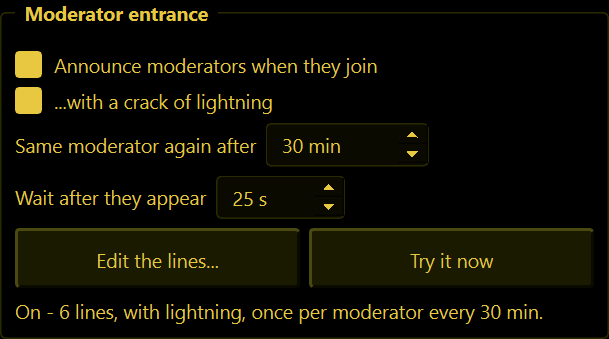
A little thank-you for the people who look after your server. When someone on the Mods list joins, WolfRAT announces them to everyone - "Storm warning: BadgerLove has arrived." - with a crack of lightning and thunder.
| Setting | What it does |
|---|---|
| Announce moderators when they join | The whole thing on or off. Off to begin with. |
| ...with a crack of lightning | Adds the lightning and thunder. Needs the lightning add-on; without it the announcement still goes out, just quietly. |
| Same moderator again after | 30 minutes to begin with. A moderator with a shaky connection who drops and rejoins five times gets one entrance, not five. |
| Wait after they appear | 25 seconds to begin with. A player's name appears while they are still on the loading screen - waiting means they get to see and hear their own entrance. |
| Edit the lines... | Write your own announcements, one per row. {player} becomes the name. WolfRAT picks one at random and warns you if a line is too long for one chat message. |
| Try it now | Fires one off immediately so you can see (and hear) it. |
- Map changes never count as "joining" - nobody is re-announced when the map rolls over.
- Moderators who are already playing when you start WolfRAT are not announced.
- The line under the buttons tells you what it did last, including if the lightning was not ready.