WolfRAT wiki › Missions
🗺️ Missions tab
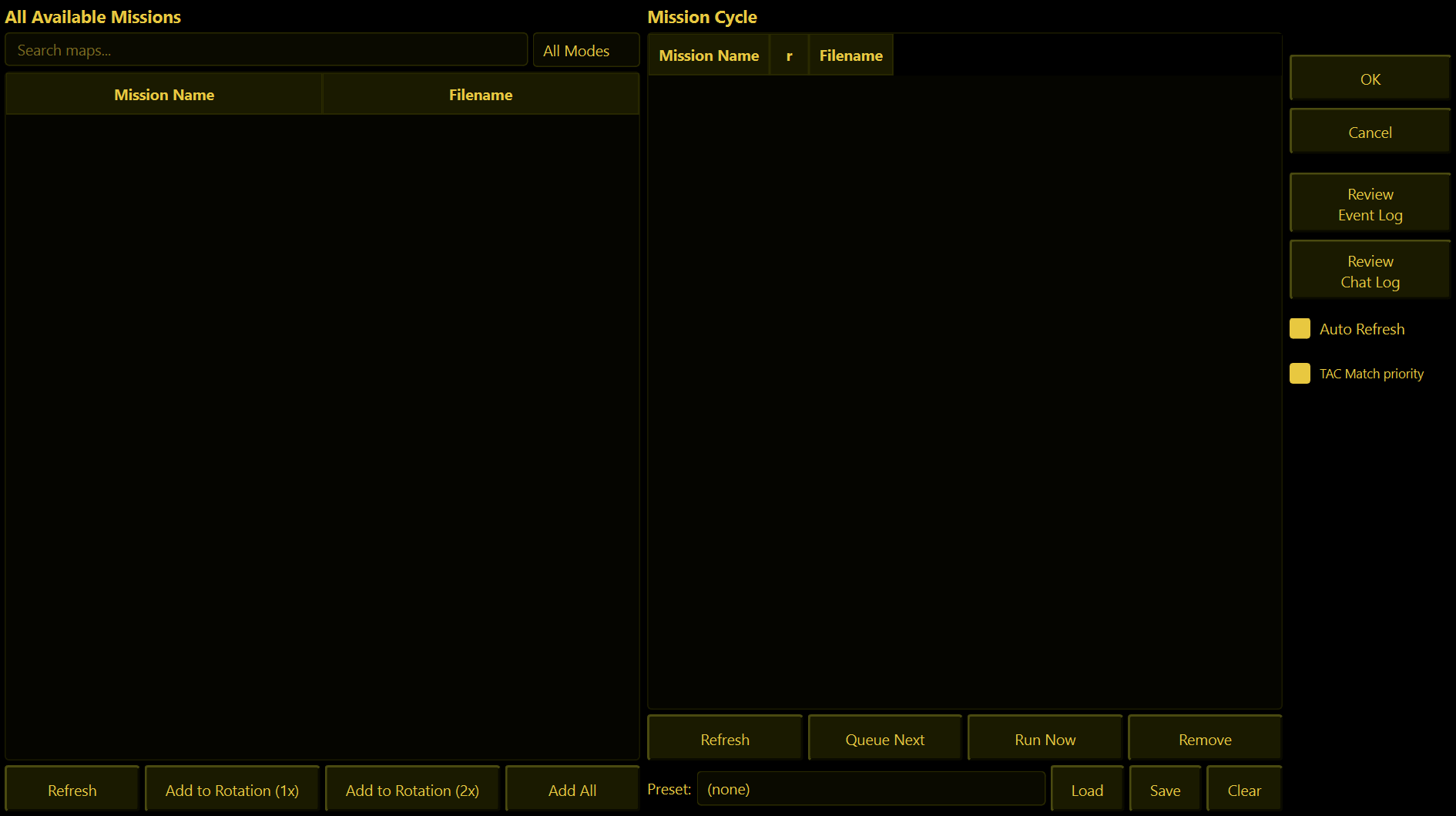
Your map rotation. Every map the server has is on the left, the maps it will actually play are on the right.
ON THIS PAGELeft side - All Available MissionsRight side - Mission CyclePresets - save a whole rotationThe narrow column on the far right
Left side - All Available Missions
Every map file the server can see.
- Search maps... - type part of a name to narrow the list.
- The mode box (All Modes, AS, TD, TK, DM, CTF...) - shows only maps of that game type. It goes by the letters at the start of the map's file name, so a map only shows under "TD" if its file name starts with TD.
- Add to Rotation (1x) - adds the selected maps. You can select several at once.
- Add to Rotation (2x) - adds them to be played twice in a row with the teams swapping sides, so both teams get a turn attacking.
- Add All - adds every map currently showing in the list. Filter first! On the full list this adds everything, and it does not ask.
- Double-click a map to add it once. Right-click for "Play Once" / "Play Twice".
A map that is already in the rotation is quietly skipped, so you cannot add the same one twice by accident.
Right side - Mission Cycle
The rotation, in the order the server will play it. The little r column is how many times a map plays (1 or 2). The map that is up now/next is highlighted in gold, and its name is shown at the bottom of the window.
| Button | What it does |
|---|---|
| Queue Next | Makes the selected map the next one. The current match carries on to its natural end. |
| Run Now | Switches the server to the selected map immediately. Everyone is pulled out of the current match. No "are you sure". |
| Remove | Takes the selected map out of the rotation. |
| Refresh | Fetches the rotation from the server again. |
Right-clicking a map in the cycle gives you the same three actions.
Presets - save a whole rotation
- Save - asks for a name and stores the current rotation under it, for example "Friday night" or "Small maps".
- Load - adds the preset's maps on top of what is already in the rotation. It does not replace it.
- Clear - empties the whole rotation (asks first).
To swap one rotation for another: press Clear, then pick your preset and press Load.
The narrow column on the far right
- Auto Refresh (ticked by default) - keeps the rotation list up to date every 15 seconds.
- TAC Match priority (ticked by default) - when someone types part of a map name (for example in
!voteor!map), TAC versions of a map are preferred over the stock one. - Review Chat Log - asks the server for its chat log; it arrives in the Console.
Changes on this tab are sent to the server the moment you make them - you do not need to press anything to "apply" them.